Sign In
  • INDIA
  • GUJARAT
The Prime News Network
  • Home
  • Top Story
  • Science
  • Politics
  • Market
  • Health
  • Entertainment
  • Jobbs
  • Search
Reading: 3 Powerful iPhone Security Settings to Keep Your Device Safe and Secure
Share
The Prime News NetworkThe Prime News Network
Font ResizerAa
Search
Have an existing account? Sign In
Follow US
© 2022 Foxiz News Network. Ruby Design Company. All Rights Reserved.

Home » 3 Powerful iPhone Security Settings to Keep Your Device Safe and Secure

Science

3 Powerful iPhone Security Settings to Keep Your Device Safe and Secure

THE PRIME NEWS NETWORK
Last updated: May 2, 2025 10:52 am
THE PRIME NEWS NETWORK
Share
3 Powerful iPhone Security Settings to Keep Your Device Safe and Secure
SHARE

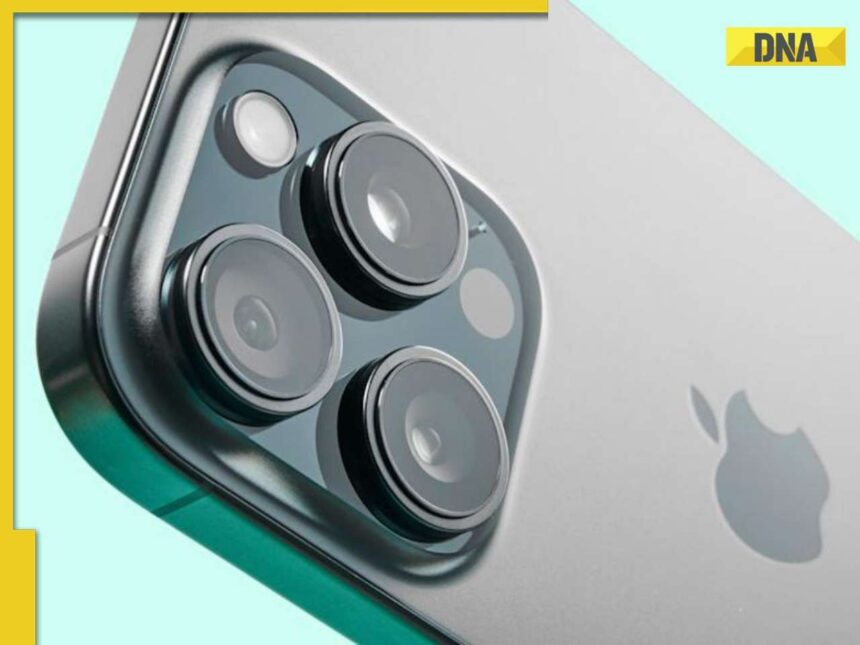
Turning on Three Key iPhone Settings: Two-Factor Authentication, Stolen Device Protection, and Private Relay, Can Significantly Boost Your Security and Privacy

If you use an iPhone, you already have strong security built in. But did you know there are a few extra features you can turn on to make your iPhone even safer? These settings are especially useful if your phone gets stolen or if someone tries to hack your account. Whether you have the newest iPhone or an older one, here are three important security options you should enable today.

  1. Turn On Two-Factor Authentication for Your Apple ID

    • This is one of the most important security steps. Two-factor authentication (2FA) means that even if someone knows your password, they won’t be able to log into your Apple ID unless they also have a special code that’s sent to your trusted device. It adds a second layer of protection.
    • To check if it’s on: Go to Settings > Tap your name at the top > Password & Security > Make sure Two-Factor Authentication is turned on.
  2. Enable Stolen Device Protection

    • This new feature is great if your iPhone ever gets lost or stolen. It makes it harder for someone to change your Apple ID password or turn off Find My iPhone, which is what thieves often try to do. It also blocks access to saved passwords unless your Face ID or Touch ID is verified. If you’re not in a familiar location (like home), some settings are locked for an hour to give you time to act.
    • To turn it on: Go to Settings > Face ID & Passcode > Enter your passcode > Scroll down and turn on Stolen Device Protection.
  3. Use Private Relay (iCloud+ Feature)
    • Private Relay keeps your browsing private when using Safari. It hides your IP address and encrypts your internet traffic, so no one—not even Apple—can see both who you are and what sites you visit. This prevents websites and network providers from tracking your location or creating a profile based on your internet activity.
    • To enable it: Go to Settings > Tap your profile at the top > iCloud > Turn on Private Relay. (Note: You need an iCloud+ subscription to use this feature.)

Bonus Tip: Keep iOS Updated

  • Apple regularly releases updates that fix bugs and security holes. Always make sure your phone has the latest software.
  • To check: Go to Settings > General > Software Update.

Activating these features only takes a few minutes but could protect your data and privacy for years. Taking small steps now can help avoid big problems later.

Reference : https://www.dnaindia.com/technology/report-worried-about-your-iphone-getting-hacked-or-stolen-turn-on-these-3-powerful-security-settings-right-away-3149095

Subscribe to Our Newsletter
Subscribe to our newsletter to get our newest articles instantly!
Share This Article
Email Copy Link Print
Previous Article Kanye West and Bianca Censori to Sue Dentist for Nitrous Oxide Addiction and Other Illegal Sedatives - Inside the Details | The Times of India Kanye West and Bianca Censori to Sue Dentist for Nitrous Oxide Addiction and Other Illegal Sedatives – Inside the Details | The Times of India
Next Article Mathematical Rule Shaped Bird Beaks for 200 Million Years Mathematical Rule Shaped Bird Beaks for 200 Million Years
Leave a Comment

Leave a Reply Cancel reply

Your email address will not be published. Required fields are marked *

You Might Also Like

Sri Lanka Pledges Closer Ties with China and India
Science

Sri Lanka Pledges Closer Ties with China and India

Sri Lanka Pledges Closer Ties with China and India's Left By AFP Staff Writers Colombo (AFP) May 1, 2025 Sri…

3 Min Read
NASA Captures Picosocial-Specific Image of Mars’ Arsia Mons Volcano, Tallier Than Earth’s Tallest Mountain
Science

NASA Captures Picosocial-Specific Image of Mars’ Arsia Mons Volcano, Tallier Than Earth’s Tallest Mountain

NASA Unveils Stunning Image of Mars' Tallest Volcano: Near-Two Times the Height of Earth’s tallest Mountain NASA has released a…

3 Min Read
Scientists Unveil Discovery of New Continent: Insights into Its Formation
Science

Scientists Unveil Discovery of New Continent: Insights into Its Formation

Breaking Discovery Reveals New Microcontinent in the Earth's Past A groundbreaking study published last year in the journal Gondwana Research…

0 Min Read
ISRO and NASA's NISAR Mission Set to Launch in June After Years of Preparation
Science

ISRO and NASA’s NISAR Mission Set to Launch in June After Years of Preparation

ISRO and NASA Collaborate for NISAR Mission Launch in 2025 India's Space Research Organisation (ISRO) and NASA are set to…

3 Min Read
The Prime News Network

News

  • Privacy Policy
  • Terms & Conditions
  • Cookie Policy
  • Copyright Policy

Country

  • Innovate
  • Gadget
  • PC hardware
  • Review
  • Software

Culture

  • Stars
  • Screen
  • Culture
  • Media
  • Videos

© The Prime News Network. Developed By TurtleSoft Solution. All Rights Reserved.

Welcome Back!

Sign in to your account

Username or Email Address
Password

Lost your password?